
Formatting DataGrid columns
Tutorial » Formatting DataGrid columns
The following example formats a column in easyui DataGrid and uses a custom column formatter to color the text red if a price is below than 20.
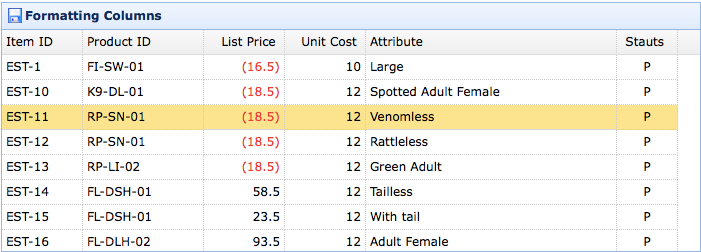
To format a DataGrid column, we should set the formatter property which is a function. The format function contains three parameters:
- value: The current column value responding to field.
- row: The current row record data.
- index: The current row index.
Create DataGrid
Notice that the 'listprice' field has the 'formatter' attribute that indicate the format function.